
Guía Completa de Gestión de Vacaciones y Licencias
Cálculos de acumulación, reglas de arrastre, licencias por enfermedad obligatorias — la gestión de ausencias es un campo minado de cumplimiento. Así se administra correctamente.
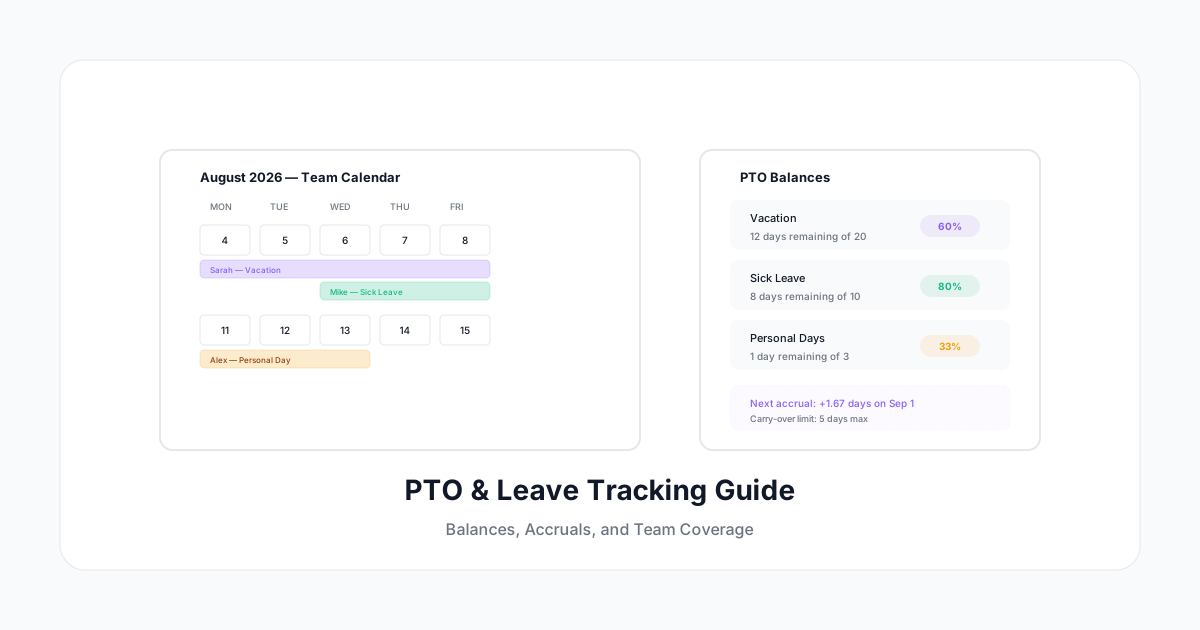
El seguimiento de PTO suena simple: las personas tienen días libres, los usan, tú lo registras. En la práctica, es un campo minado de cumplimiento — cálculos de acumulación, reglas de arrastre, mandatos estatales de licencia por enfermedad, seguimiento de FMLA, y el efecto cascada de las ausencias en la capacidad del equipo.
La mayoría de las empresas gestionan el PTO en hojas de cálculo hasta que llegan a 20-30 empleados. Luego la hoja de cálculo se rompe — los errores de acumulación se acumulan, nadie está seguro de cuántos días le quedan, y la avalancha de "úsalo o piérdelo" de fin de año crea caos de programación.
Aquí te explicamos cómo construir un sistema de seguimiento de PTO y licencias que realmente funcione — desde políticas de acumulación hasta planificación de capacidad del equipo.
Tipos de Licencias que Necesitas Rastrear
Tiempo Libre Pagado (PTO)
La categoría paraguas. Puede ser:
- Bancos separados: Vacaciones, enfermedad, personal (cada uno con sus propias reglas)
- PTO combinado: Un solo pool para todo el tiempo libre (más simple de administrar, más difícil asegurar protección por enfermedad)
- PTO ilimitado: Sin balance específico, pero aún necesitas rastrear uso para patrones, cumplimiento y capacidad
Licencia por Enfermedad (Mandatada por Estado)
A partir de 2026, la mayoría de los estados tienen leyes obligatorias de licencia por enfermedad pagada:
- Tasas de acumulación varían (1 hora por cada 30-40 horas trabajadas es común)
- Topes de uso difieren por estado
- Reglas de arrastre son específicas por estado
- Debes rastrear esto por separado incluso si ofreces PTO combinado (para reportes de cumplimiento)
FMLA y Licencia Protegida
La Ley de Licencia Familiar y Médica (FMLA) proporciona 12 semanas de licencia no pagada para eventos calificados. Debes rastrear:
- Elegibilidad FMLA (1,250 horas trabajadas en los 12 meses anteriores — necesitas datos de tiempo para esto)
- Uso de licencia contra la asignación de 12 semanas
- FMLA intermitente (días parciales tomados por necesidades médicas continuas)
- Documentación de retorno al trabajo
Otros Tipos de Licencia
- Duelo (política de la empresa)
- Deber de jurado (tiempo libre legalmente requerido)
- Licencia militar (protegida por USERRA)
- Licencia parental (política de la empresa + ley estatal)
- Sabático (típicamente en hitos de antigüedad)
Cada tipo tiene diferentes reglas de acumulación, flujos de aprobación y protecciones legales. Tu sistema de seguimiento necesita manejarlos todos.
Métodos de Acumulación Explicados
Método 1: Suma Global Anual
- Todo el PTO disponible el 1 de enero (o aniversario de contratación)
- Simple de entender, simple de administrar
- Riesgo: Nuevos empleados que se van temprano han usado más de lo "ganado"
- Solución: Prorrateo o políticas de balance negativo
Método 2: Acumulación por Período de Pago
- El PTO se acumula cada período de pago (ej. 6.67 horas/quincenal = 20 días/año)
- Más complejo pero se alinea con horas trabajadas
- Requerido para licencia por enfermedad en muchos estados
- Necesita cálculo del sistema cada período de pago
Método 3: Acumulación por Horas Trabajadas
- PTO ganado por hora trabajada (ej. 1 hora de PTO por cada 30 horas trabajadas)
- Requerido para empleados de tiempo parcial y horas variables en muchos estados
- El más complejo de calcular manualmente
- Los datos de registro de tiempo alimentan directamente los cálculos de acumulación
Método 4: Basado en Antigüedad
- Más PTO en hitos de antigüedad (2 semanas años 1-3, 3 semanas años 4-7, 4 semanas años 8+)
- Popular como incentivo de retención
- El sistema necesita saber la fecha de contratación y auto-ajustar asignaciones
Punto clave: Tu sistema de registro de tiempo y sistema de PTO deben comunicarse entre sí. Las horas trabajadas determinan la acumulación. La acumulación determina el balance disponible. El balance determina la aprobación.
Construyendo Tu Política de PTO (Checklist)
Para cada tipo de licencia, define:
- Método de acumulación — Suma global, por período, o por horas trabajadas
- Tasa de acumulación — Cuánto se gana y con qué frecuencia
- Tope máximo de acumulación — ¿El balance puede crecer indefinidamente?
- Límite de arrastre — ¿Cuántos días se transfieren al próximo año?
- Período de espera — ¿Cuándo pueden los nuevos empleados empezar a usar PTO?
- Incremento mínimo — ¿Los empleados pueden tomar 1 hora? ¿Medio día? ¿Solo día completo?
- Aviso previo requerido — ¿Cuánta anticipación para solicitar tiempo libre?
- Fechas bloqueadas — ¿Algún período donde no se puede tomar PTO?
- Autoridad de aprobación — ¿Quién aprueba? ¿Hay un camino de escalamiento?
- Pago por terminación — ¿Se paga el PTO acumulado?
Planificación de Capacidad del Equipo
El seguimiento de PTO no es solo sobre balances individuales — es sobre asegurar cobertura adecuada del equipo en todo momento.
El Problema de Cobertura
Si 3 de tus 8 miembros del equipo están de vacaciones la misma semana, tienes un 37% menos de capacidad. Para equipos que dan servicio a clientes, esto puede significar deadlines incumplidos, pelotas caídas, o miembros restantes del equipo sobrecargados.
Visibilidad del Calendario de PTO
Todos en el equipo deberían ver quién está fuera y cuándo (sin ver balances o tipos de licencia — la privacidad importa):
- Calendario de equipo compartido mostrando ausencias aprobadas
- Vista de brechas de cobertura próximas
- Integración con líneas de tiempo de proyectos (alerta si una persona clave está ausente durante un deadline)
Reglas de Cobertura
Define personal mínimo:
- "Al menos 75% del equipo debe estar disponible cualquier semana dada"
- "No más de 2 de 5 ingenieros fuera simultáneamente"
- "Roles de atención al cliente requieren 2 semanas de aviso previo"
Incorpora estas en tu flujo de aprobación. Cuando alguien solicita PTO, el sistema verifica: "Si se aprueba, ¿esto viola alguna regla de cobertura?" Si sí, márcalo — no lo niegues automáticamente, pero hazle saber al manager.
Estrategia para Temporada de Fiestas
Noviembre-diciembre crea un cuello de botella de PTO en la mayoría de las empresas. Las personas que "ahorraron" sus días intentan usarlos todos antes de fin de año. Soluciones:
- Permite arrastre (elimina la avalancha de "úsalo o piérdelo")
- Incentiva PTO a lo largo del año (rastrea uso trimestral)
- Establece topes a nivel de equipo para semanas festivas
- Comunica fechas bloqueadas temprano (Q1 para bloqueos de fin de año)
Consideraciones de Cumplimiento
Leyes Estatales de Licencia por Enfermedad
Un resumen rápido del mosaico (verifica la ley vigente para detalles específicos):
- California: 5 días pagados por enfermedad/año (40 horas), ganados a 1h por cada 30h trabajadas
- Nueva York: Hasta 56 horas, dependiente del tamaño del empleador
- Colorado: 1h por cada 30h trabajadas, sin tope anual
- Massachusetts: Hasta 40 horas/año
- Muchos otros: Cada uno con reglas únicas
Empleadores multi-estado: Probablemente necesitas diferentes políticas de licencia por enfermedad por estado. Tu sistema de seguimiento debe aplicar las reglas correctas según la ubicación de trabajo del empleado.
"Úsalo o Piérdelo" vs Arrastre
- Algunos estados prohíben políticas de "úsalo o piérdelo" (California, Montana)
- Algunos permiten topes pero no pérdida (acumula hasta X, no puedes acumular más allá del tope)
- La mayoría de los estados no tienen restricción sobre políticas de pérdida de PTO
Conoce tu(s) estado(s). Una política general de "sin arrastre" puede violar la ley en ciertas jurisdicciones.
Pago de PTO por Terminación
- Algunos estados requieren pago de todo el PTO acumulado (California, Illinois, Massachusetts)
- Otros lo permiten solo si la política lo promete
- Vacío legal del "PTO ilimitado": Sin acumulación = nada que pagar (legal en la mayoría de los estados, pero éticamente cuestionable)
Tu sistema de seguimiento debe mantener datos de balance precisos para cálculos de separación.
Integración con Registro de Tiempo
PTO y registro de tiempo son dos caras de la misma moneda. La integración proporciona:
Deducción Automática de Balance
Cuando un empleado registra PTO en el sistema de tiempo, su balance disminuye automáticamente. Sin ajuste manual, sin reconciliación en hojas de cálculo.
Acumulación desde Horas Trabajadas
Para empleados por hora y acumulación basada en horas, el sistema de registro de tiempo alimenta las horas reales trabajadas en el cálculo de acumulación. Registros de tiempo precisos = balances de PTO precisos.
Interacción Tiempo Extra y PTO
En muchas jurisdicciones, las horas de PTO no cuentan para cálculos de tiempo extra:
- El empleado trabaja 36 horas + 8 horas de PTO = 44 horas totales en la hoja de tiempo
- Pero el tiempo extra solo se calcula sobre horas realmente trabajadas (36)
- Esta distinción importa para la precisión de nómina
Planificación de Capacidad
Combinar registro de tiempo (quién está trabajando en qué) con PTO (quién va a estar fuera) te da verdadera planificación de capacidad:
- "Próximo sprint, tenemos 320 horas disponibles del equipo en vez de 400 (dos personas en PTO)"
- "El deadline del Cliente Alpha choca con las vacaciones de Sarah — necesitamos ajustar"
Requisitos Tecnológicos
Tu sistema de seguimiento de PTO/licencias debe tener:
| Característica | Por Qué |
|---|---|
| Múltiples tipos de licencia | Diferentes reglas de acumulación por tipo |
| Motor de políticas | Configura reglas de acumulación, tope, arrastre |
| Cumplimiento multi-estado | Diferentes reglas por ubicación de trabajo |
| Solicitudes de autoservicio | El empleado solicita, el manager aprueba |
| Vista de calendario del equipo | Ver quién está fuera sin mostrar detalles privados |
| Reglas de cobertura | Auto-marcar cuando se viola el personal mínimo |
| Visibilidad de balance | Los empleados ven su balance en tiempo real |
| Integración con registro de tiempo | PTO deducido de balances automáticamente |
| Automatización de fin de año | Auto-aplicar reglas de arrastre/pérdida |
| Pista de auditoría | Cada cambio registrado para cumplimiento |
Primeros Pasos
-
Audita el estado actual. ¿Dónde se rastrean los balances de PTO hoy? ¿Qué tan precisos son? ¿Cuál es tu tasa de error actual?
-
Mapea tus políticas. Documenta cada tipo de licencia, sus reglas y a qué estados aplican. Este es tu plano de configuración.
-
Elige herramientas integradas. El seguimiento de PTO que no se conecta con tu registro de tiempo y sistemas de nómina crea trabajo de reconciliación. La integración es esencial.
-
Migra balances cuidadosamente. Al cambiar de sistemas, verifica el balance de cada empleado. Los errores en el balance inicial se acumulan para siempre.
-
Comunica a los empleados. La consulta de balance y envío de solicitudes por autoservicio mejora la satisfacción y reduce el volumen de inbox de RRHH en más del 50%.
A Human Time incluye gestión integrada de PTO y licencias: políticas de acumulación configurables, solicitudes de autoservicio con flujos de aprobación, calendarios de cobertura del equipo, y seguimiento automático de balances que se sincroniza con el tiempo trabajado. Un sistema para el tiempo en el trabajo y el tiempo fuera de él.
El PTO no es solo un beneficio para empleados — es una herramienta de gestión de capacidad, una obligación de cumplimiento, y (cuando se rastrea bien) un sistema de prevención de burnout. Rastréalo tan cuidadosamente como rastreas las horas trabajadas.