
Control de Tiempo para Equipos de Construcción
Control de tiempo en construcción no es un problema de oficina con cascos. Registro GPS, cumplimiento de piso salarial, costeo por obra y registro por cuadrilla.
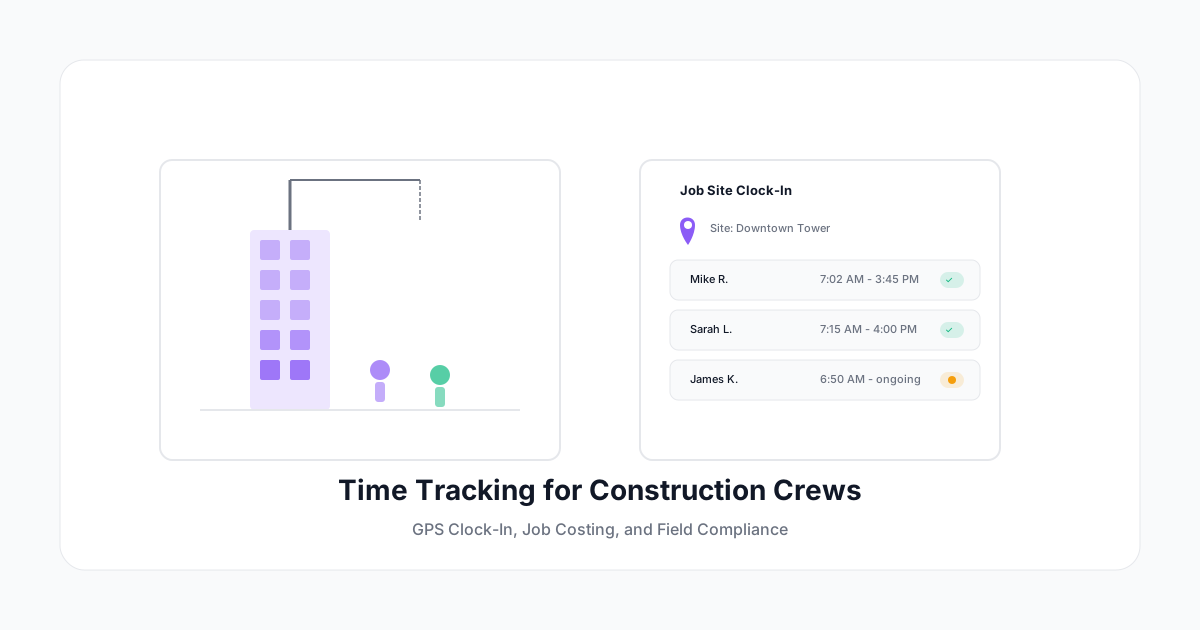
El registro de tiempo en construcción no es un problema de oficina con cascos. Es un desafío fundamentalmente diferente: múltiples sitios de obra, cuadrillas que no pueden acceder fácilmente a computadoras, horarios dependientes del clima, reglas sindicales, requisitos de salario prevaleciente y documentación de nómina certificada.
Los registradores de tiempo de propósito general que funcionan genial para agencias de marketing fallan completamente en un sitio de construcción. Esto es lo que las empresas constructoras realmente necesitan — y cómo implementar registro de tiempo que funcione para cuadrillas en campo.
Por Qué el Registro de Tiempo en Construcción Es Diferente
La Realidad del Campo
Los trabajadores de oficina se sientan en escritorios con computadoras. Los trabajadores de construcción:
- Operan bajo lluvia, polvo, calor extremo y frío
- Usan guantes que no pueden tocar botones pequeños del teléfono
- Trabajan en áreas sin WiFi y con servicio celular intermitente
- Comienzan a diferentes horas según las condiciones del sitio
- Se mueven entre múltiples sitios de obra en un día
- Pueden no llevar teléfonos personales (algunos sitios los restringen)
Cualquier solución de registro de tiempo que requiera acceso a escritorio, internet confiable o habilidad motora fina en pantalla táctil está muerta antes de llegar.
Reglas de Pago Complejas
El pago en construcción rara vez es simple por hora:
- Salario prevaleciente por clasificación de trabajo (obrero, carpintero, electricista — cada uno con diferentes tarifas)
- Reglas de horas extras que varían por jurisdicción (diarias, semanales o ambas)
- Premios por turno para trabajo nocturno
- Tiempo de viaje entre sitios
- Tiempo de presentación (horas mínimas garantizadas incluso si el clima cancela el trabajo)
- Viáticos basados en distancia del sitio de obra desde el hogar
- Reglas sindicales superpuestas a todo lo demás
Tu sistema de registro de tiempo necesita manejar cada uno de estos cálculos correctamente — porque los reportes de nómina certificada los requieren.
Requisitos de Costeo de Trabajo
En construcción, el registro de tiempo no es solo para pagar a la gente. Es para conocer la rentabilidad del proyecto en tiempo real:
- ¿A qué códigos de costo está facturando cada trabajador?
- ¿Cómo se compara el tiempo real con las estimaciones de la licitación?
- ¿Qué fases están sobre/bajo presupuesto?
- ¿Cuál es el costo de mano de obra por unidad de trabajo (por metro lineal, por metro cuadrado, por unidad instalada)?
Estos datos afectan directamente las licitaciones futuras. Si consistentemente estás 20% sobre la estimación en mano de obra de framing, tu próxima licitación está equivocada si no ajustas.
Funciones Esenciales para Registro de Tiempo en Construcción
1. Entrada/Salida Basada en GPS
El método más práctico para construcción:
- El trabajador abre la app móvil → el GPS confirma que está en el sitio de obra → entrada
- No hay hardware que instalar en cada sitio
- Funciona en sitios ilimitados
- Crea un registro de ubicación para auditoría de nómina
- Alertas de geofencing si alguien entra desde la ubicación equivocada
Importante: Verificación GPS, no vigilancia GPS. Registra la ubicación de entrada, no movimientos en tiempo real. Tu cuadrilla no adoptará un sistema que se sienta como un collar de rastreo.
2. Modo Sin Conexión
Los sitios de construcción en desarrollos nuevos, áreas rurales o sótanos pueden tener cero conectividad. Tu app de registro de tiempo DEBE:
- Permitir entrada/salida completa sin internet
- Poner en cola las entradas de tiempo para sincronizar cuando regrese la conectividad
- Nunca perder datos por problemas de conexión
- Funcionar idénticamente online y offline
Prueba esto agresivamente. Un "modo offline" que tiene bugs o pierde datos es peor que no tener modo offline.
3. Asignación de Códigos de Costo
Cada hora debe vincularse a:
- Número de trabajo (qué proyecto)
- Fase/área (qué parte del proyecto)
- Código de costo (qué tipo de trabajo)
Ejemplo:
Trabajo: Torre Centro (Proyecto #4521)
Fase: Nivel 3 Interior
Código de Costo: 09-200 (Instalación de Drywall)
Trabajador: Miguel R. (Carpintero Oficial)
Horas: 8.5
Tarifa: Salario Prevaleciente - Carpintero ($62.40/hr)
Este nivel de detalle es innegociable para costeo de trabajo. Haz la selección de código de costo lo más simple posible (favoritos, recientes, atajos específicos del sitio) o nadie lo va a hacer.
4. Entrada Basada en Cuadrilla
Los capataces a menudo registran tiempo para toda su cuadrilla:
- Una persona ingresa tiempo para 5-15 trabajadores
- Asigna códigos de costo para el trabajo del día
- Maneja codificación dividida (4 horas en framing, 4 horas en limpieza)
- Más rápido que tener a cada trabajador individual usando una app
Enfoque híbrido: Deja que los trabajadores individuales entren vía sus propios teléfonos (verificados por GPS), pero permite que los capataces asignen códigos de costo y hagan correcciones.
5. Cumplimiento de Salario Prevaleciente
Para proyectos financiados por el gobierno, las tarifas de salario prevaleciente aplican basadas en:
- Clasificación del trabajador (oficio/gremio)
- Región geográfica
- Tipo de proyecto (edificio, autopista, pesado, residencial)
Tu sistema debe:
- Mantener tablas actuales de salario prevaleciente
- Aplicar tarifas correctas basadas en clasificación y ubicación
- Generar reportes de nómina certificada (WH-347 o equivalente)
- Registrar beneficios complementarios por separado de la tarifa base
- Soportar múltiples tarifas en el mismo proyecto (diferentes oficios)
6. Reportes de Nómina Certificada
Los contratos gubernamentales requieren nómina certificada (típicamente semanal). Tu sistema debería generar:
- Formularios WH-347 (proyectos federales)
- Formatos específicos por estado donde aplique
- Cálculos correctos de bruto/neto por determinación salarial
- Cálculos de beneficios complementarios (pagados al trabajador o al fondo)
- Archivo electrónico donde se acepte
Construir estos reportes manualmente desde hojas de tiempo toma horas. La generación automatizada ahorra un día completo por semana para un equipo de nómina en múltiples proyectos gubernamentales.
Implementación por Tamaño de Empresa
Contratista Pequeño (1-15 Trabajadores)
Configuración: App móvil para dueño/capataz + trabajadores con smartphones Complejidad de códigos de costo: Baja (5-10 códigos de costo por trabajo) Necesidad clave: Entrada GPS simple, costeo básico de trabajo, integración con QuickBooks
Empieza en 1 día:
- Crea lista de trabajos
- Agrega códigos de costo básicos
- Descarga la app para la cuadrilla
- Empieza a registrar mañana
GC Mediano (15-100 Trabajadores)
Configuración: App móvil + kioscos de tablet en sitios principales + entrada por lotes del capataz Complejidad de códigos de costo: Media (25-50 códigos de costo, múltiples fases) Necesidad clave: Cumplimiento de salario prevaleciente, nómina certificada, integración ERP
Empieza en 1-2 semanas:
- Mapea la estructura de códigos de costo
- Importa cronogramas de salario prevaleciente
- Configura geofences de sitios de obra
- Capacita a capataces en entrada de cuadrilla
- Configura integración con nómina
- Ejecuta prueba paralela (un periodo de pago)
GC Grande / Multi-Proyecto (100+ Trabajadores)
Configuración: Despliegue empresarial con SSO, integración ERP, soporte multi-división Complejidad de códigos de costo: Alta (100+ códigos de costo, cronogramas cargados de costos) Necesidad clave: Analítica laboral en tiempo real, proyección de presupuesto, cumplimiento multi-estatal
Empieza en 4-6 semanas:
- Planificación de integración con sistemas ERP/PM existentes
- Diseño de jerarquía de códigos de costo
- Configuración de acceso basado en roles (campo, PM, contabilidad)
- Piloto en 2-3 sitios de obra
- Despliegue escalonado por división
- Despliegue completo + capacitación
Desafíos Comunes del Registro de Tiempo en Construcción
Desafío: Trabajadores Sin Smartphones
No todos los trabajadores de construcción llevan un smartphone. Soluciones:
- Registro por compañero vía capataz: El capataz registra el tiempo de todos desde un dispositivo
- Tablet resistente en la entrada del sitio: Kiosco compartido con botones grandes y login por badge/PIN
- Entrada por mensaje de texto: El trabajador envía "ENTRADA" a un número (baja tecnología pero efectivo)
- Terminales biométricas: Para sitios grandes y fijos con electricidad
Desafío: Múltiples Sitios Por Día
Los trabajadores que se mueven entre sitios necesitan codificar tiempo a cada uno:
- La app detecta cambio de ubicación → pide salir del Sitio A y entrar al Sitio B
- Entradas de día dividido: 5h en Torre Centro, 3h en renovación Oak Ridge
- Tiempo de viaje registrado por separado (o asignado al sitio primario, según la política)
Desafío: Retrasos por Clima
Retrasos por lluvia, paradas por calor extremo, cierres por viento — todos comunes. Registra:
- Tiempo de presentación (pago garantizado por llegar al sitio)
- Tiempo de espera vs tiempo de trabajo
- Si codificar el tiempo de clima al trabajo (afecta el costo del trabajo) u overhead
Desafío: Reportes de Horas Sindicales
Los contratistas sindicales reportan horas por oficio y local. Tu sistema necesita:
- Seguimiento de clasificación por trabajador
- Horas reportadas por sindicato/local
- Cálculos de ratio de aprendices
- Reportes de contribución a beneficios por acuerdo laboral
ROI para Empresas Constructoras
La mano de obra es el 40-50% del costo de un proyecto de construcción. Mejor registro de tiempo impacta la línea de fondo directamente:
| Mejora | Ahorro Típico |
|---|---|
| Eliminar buddy punching (5-10 min/día) | 2-4% del costo laboral |
| Costeo preciso de trabajo → mejores licitaciones | 3-8% mejora de margen en trabajo futuro |
| Visibilidad de horas extras → gestión proactiva | 15-25% reducción de HE |
| Automatización de nómina certificada | 8-12 horas/semana para personal de nómina |
| Errores de nómina reducidos | $500-2,000/mes en correcciones |
Para una empresa con $5M en costo laboral anual, incluso una mejora del 3% a través de mejor registro = $150,000/año en ahorros o margen recuperado.
Para Empezar
-
Identifica tu mayor dolor. ¿Es la nómina certificada (ve por cumplimiento primero)? ¿Precisión en costeo de trabajo (empieza con registro de códigos de costo)? ¿Buddy punching (despliega entrada GPS)?
-
Empieza con una cuadrilla. No despliegues a 100 trabajadores el primer día. Elige un capataz tech-savvy y su cuadrilla. Resuelve los problemas a pequeña escala.
-
Hazlo fácil en el campo. Si los trabajadores de campo lo odian, no va a funcionar. La herramienta debe ser rápida, obvia y confiable sin conexión.
-
Conecta con tus sistemas. El registro de tiempo en aislamiento crea otro silo de datos. Conecta con nómina, contabilidad y gestión de proyectos.
-
Mide antes y después. Registra tu tasa de error actual, tiempo de procesamiento de nómina y precisión de costeo de trabajo. Luego mide de nuevo después de 30 días.
A Human Time soporta equipos de construcción con entrada verificada por GPS, entrada móvil capaz de funcionar offline, asignación de códigos de costo, entrada de tiempo por cuadrilla y cumplimiento de salario prevaleciente. Construido para el campo, no solo para la oficina.
Un buen registro de tiempo en construcción se paga solo en el primer mes. La pregunta no es si puedes pagar un sistema de registro de tiempo — es si puedes permitirte no tener uno.