
Conectar Controle de Tempo à Folha
A transferência manual de tempo para folha de pagamento é um dos processos mais propensos a erros. Veja como conectar esses sistemas de forma confiável.
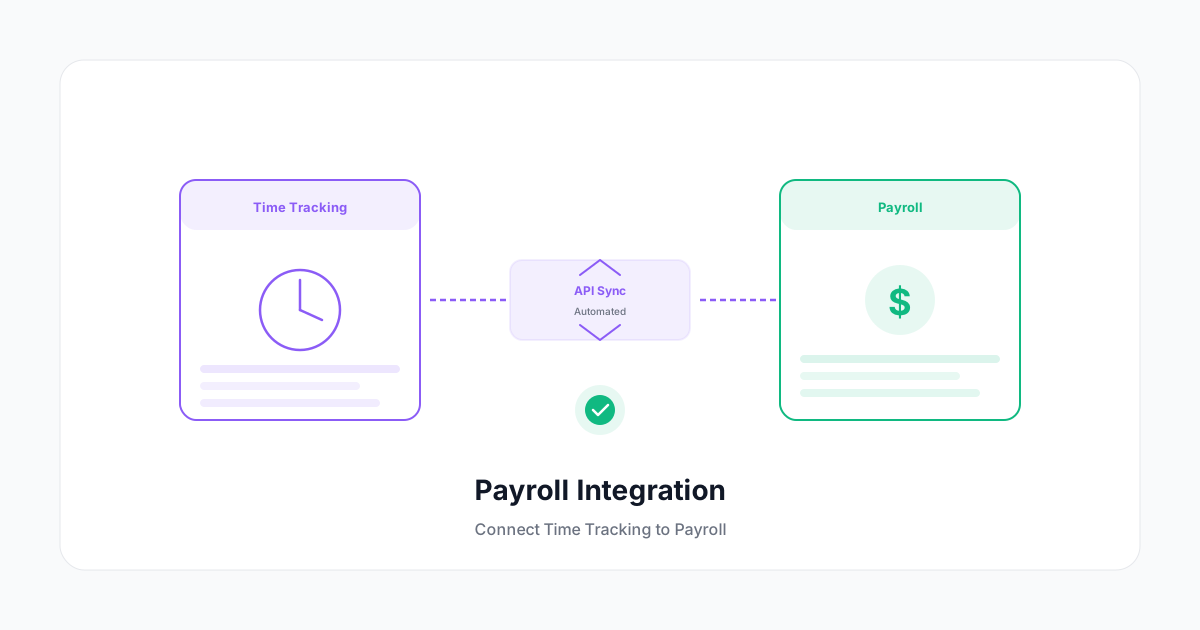
Cada etapa manual entre as entradas de tempo aprovadas e um contracheque processado é uma oportunidade para erro. Dígitos transpostos, horas extras esquecidas, adicionais de turno perdidos — esses erros são caros para corrigir e corrosivos para a confiança dos funcionários.
O objetivo é uma única transferência automatizada: horas aprovadas no seu sistema de controle de tempo fluem para a plataforma de folha de pagamento sem intermediário humano.
Por Que Existe o Gap de Integração
A maioria das empresas não começou com sistemas integrados. Elas adicionaram controle de tempo a uma plataforma de folha de pagamento (ou vice-versa), ou usam ferramentas best-of-breed separadas para cada um. O resultado é uma etapa de transferência de dados que:
- Requer exportação manual e reimportação (alto risco de erro)
- Depende de alguém copiando e colando dados de uma tela para outra (risco muito alto de erro)
- Vive em uma planilha que alguém envia por e-mail para o financeiro (risco extremamente alto de erro)
Mesmo uma única etapa manual compromete a precisão que você construiu no seu processo de controle de tempo.
As Quatro Arquiteturas de Integração
1. Integração Nativa (Melhor)
Sua plataforma de controle de tempo e seu software de folha de pagamento são do mesmo fornecedor — ou um tem um conector pré-construído certificado para o outro. Os dados fluem em tempo real ou em sincronização programada.
Integrações nativas comuns:
- Controle de tempo → QuickBooks Folha de Pagamento
- Controle de tempo → Gusto
- Controle de tempo → ADP Workforce Now
- Controle de tempo → Rippling
Com uma integração nativa, o mapeamento de campos é pré-configurado. Você apenas conecta as contas, mapeia os registros dos funcionários e a sincronização roda automaticamente.
2. Integração via API (Flexível)
Tanto a plataforma de controle de tempo quanto a de folha de pagamento expõem APIs. Um desenvolvedor (interno ou contratado) constrói uma sincronização personalizada que mapeia campos entre os dois sistemas.
Isso lhe dá mais controle e pode lidar com cenários complexos (cálculos de horas extras multi-estaduais, múltiplas taxas de pagamento, alocações por centro de custo) que conectores pré-construídos não cobrem.
A contrapartida: requer recursos técnicos para construir e manter.
3. Middleware / iPaaS (Prático para Muitos Casos)
Ferramentas como Zapier, Make (antigo Integromat) ou plataformas iPaaS dedicadas para RH conectam aplicações sem código customizado. Você define o gatilho (por exemplo, planilha de horas aprovada) e a ação (criar uma entrada de folha no sistema B).
O middleware é uma solução razoável para casos simples. Se você tem regras de pagamento complexas, múltiplos tipos de funcionários ou precisa lidar com estornos e correções de forma confiável, uma integração nativa ou via API será mais robusta.
4. Exportação/Importação de Arquivo (Menos Preferível)
Exportar um CSV do controle de tempo e importá-lo na folha de pagamento é melhor do que copiar e colar, mas ainda é uma etapa manual com múltiplos pontos de falha. Use apenas quando não existir opção melhor, e construa um processo ao redor:
- Designe uma única pessoa responsável pela transferência
- Use uma convenção de nomes de arquivo para evitar usar exportações desatualizadas
- Execute uma validação de contagem de registros antes de submeter
Quais Dados Precisam Ser Transferidos
Os campos específicos dependem da sua estrutura de pagamento, mas o conjunto core de dados é:
ID do Funcionário (deve coincidir entre os sistemas)
Data de Início do Período de Pagamento
Data Final do Período de Pagamento
Horas Regulares
Horas Extras (50% - além da jornada contratada)
Horas Extras de Domingo/Feriado (100%)
Horas Noturnas (se aplicável)
Código de Projeto / Centro de Custo (para alocação de custo de mão de obra)
Tipo de Rendimento (regular, férias, feriado, licença médica)
Note o requisito de ID do Funcionário. Vincular registros pelo nome do funcionário cria falhas silenciosas quando dois funcionários têm nomes semelhantes ou quando alguém muda de nome. IDs são a chave de junção correta.
Lidando com Complexidade de Taxas de Pagamento
Algumas organizações têm estruturas de pagamento mais complexas que a integração precisa lidar:
- Múltiplas taxas de pagamento — Alguns funcionários têm taxas diferentes para tipos distintos de trabalho
- Adicionais de turno — Turnos noturnos ou de fim de semana podem pagar com taxa mais alta
- Diárias ou auxílios — Estes não devem passar pela integração de folha de pagamento (não são salários)
- Funcionários comissionados — Comissões variáveis vs. fixas precisam de tratamento separado
Se o seu sistema de folha de pagamento lida nativamente com essas regras, você apenas passa as horas e deixa que ele calcule. Se não, o cálculo precisa acontecer antes ou durante a transferência de dados.
Testando Sua Integração
Antes de rodar sua primeira folha de pagamento real pela integração:
Teste com Funcionários de Exemplo
Crie registros de funcionários de teste em ambos os sistemas e rode um período de pagamento completo:
- Insira uma mistura de horas regulares, extras e com pagamento especial no controle de tempo
- Aprove a planilha de horas
- Deixe a integração rodar (ou acione manualmente)
- Compare a prévia da folha de pagamento com os valores esperados
Verifique cada tipo de pagamento que sua equipe utiliza.
Relatório de Reconciliação
Toda execução de folha de pagamento deve incluir uma etapa de reconciliação — comparando o total de horas no sistema de controle de tempo com o total de horas na submissão da folha:
Horas aprovadas no controle de tempo (este período): 847,5
Horas importadas na folha: 847,5
Diferença: 0,0 ✓
Se houver discrepância, encontre-a antes de processar. Correções pós-processamento são caras.
O Que Fazer Quando as Coisas Quebram
Integrações falham. Quando a sua falhar:
- Pare a execução da folha se ainda não processou
- Identifique se é uma falha de sincronização (dados não transferidos) ou uma falha de mapeamento (valores errados transferidos)
- Corrija a causa raiz — não faça apenas um patch manual nessa folha
- Documente o que aconteceu e como foi resolvido
Crie um caminho de escalonamento antes de precisar dele. Emergências de prazo de folha de pagamento às 16h de sexta-feira não são o momento de procurar o número do suporte do fornecedor.
O ROI da Integração
O retorno de investir em uma integração limpa é:
- Tempo economizado — Eliminar a transferência manual de dados economiza 1–4 horas por período de pagamento por administrador de folha
- Redução de erros — Erros de redigitação manual (tipicamente 1–5% das entradas) se tornam quase zero
- Conformidade — Cálculos automatizados de horas extras reduzem o risco de erro
- Confiança dos funcionários — Contracheques corretos, sempre, constroem a confiança que facilita tudo mais
Para uma empresa de 50 pessoas em folha quinzenal, integrar seus sistemas de tempo e folha de pagamento geralmente tem retorno em 1–3 meses sobre os custos de implementação. A redução de risco de conformidade por si só frequentemente justifica.
Comece com as integrações nativas que seus fornecedores já oferecem. Configure, teste e rode algumas folhas paralelas (verificação manual + verificação automatizada) antes de automatizar completamente. Depois elimine a verificação manual quando confirmar a precisão.
Fluxo de dados limpo do registro de saída do funcionário até o depósito em conta — esse é o objetivo. Cada ponto de atrito que você remove é um lugar a menos para um erro entrar.