
How to Estimate Projects Accurately Using Historical Time Data
Stop guessing project timelines. Learn a practical framework for using your existing time tracking data to build estimates that reflect reality — including multipliers, templates, and complexity adjustments.
How to Estimate Projects Accurately Using Historical Time Data
Every agency, freelancer, and consulting team has the same problem: estimates are wrong. Not slightly wrong — catastrophically wrong. The kind of wrong that turns a profitable project into unpaid overtime, or a confident proposal into a margin disaster.
The fix isn't intuition or experience alone. It's historical time data — the record of how long things actually took, broken down by task type, client complexity, and project phase.
If you're already tracking time (and you should be), you're sitting on the most valuable estimation tool that exists. Here's how to turn your time data into estimates that hold.
Why Most Estimates Fail
Before we fix estimation, let's understand why it breaks.
Optimism bias — We estimate based on the best-case scenario. "The design phase will take 20 hours" means "if everything goes perfectly and the client has no feedback, it will take 20 hours." That's not an estimate; it's a fantasy.
Anchoring to the wrong number — Teams anchor to the original scope document, not to the reality of past projects. A ten-page website sounds like 40 hours until you remember the last one took 80.
Ignoring hidden work — Estimates rarely account for communication overhead, internal reviews, revision rounds, project management, and context-switching costs. These often add 30-50% to the actual time spent.
No feedback loop — Most teams never compare their estimates to actual hours. Without that loop, you repeat the same errors on every project.
The Historical Estimation Framework
Here's a system that uses your existing time data to produce estimates that reflect reality.
Step 1: Categorize Your Past Projects
Group completed projects by type and complexity:
- Type: Website build, app development, branding project, marketing campaign, consulting engagement
- Size: Small (under 40 hours), medium (40-120 hours), large (120+ hours)
- Client complexity: Low (decisive, few stakeholders), medium (some back-and-forth), high (multiple decision-makers, frequent changes)
You'll quickly see patterns. Medium-complexity website builds might consistently land between 80-100 hours. High-complexity branding projects might range from 60-150 hours.
Step 2: Break Down the Phases
Don't estimate at the project level. Break every project into its natural phases and look at what percentage of total time each phase consumed:
| Phase | Typical % of Total Hours |
|---|---|
| Discovery & planning | 10-15% |
| Core execution | 40-50% |
| Revisions & iteration | 15-25% |
| Communication & meetings | 10-15% |
| QA & delivery | 5-10% |
| Project management | 5-10% |
Now pull your actual data. If your last five website projects show that revisions averaged 28% of total time instead of the 15% you assumed, you've found your leak. Your estimates were systematically under-counting revision time.
Step 3: Calculate Your Multiplier
Here's the most powerful metric you'll ever derive from time data:
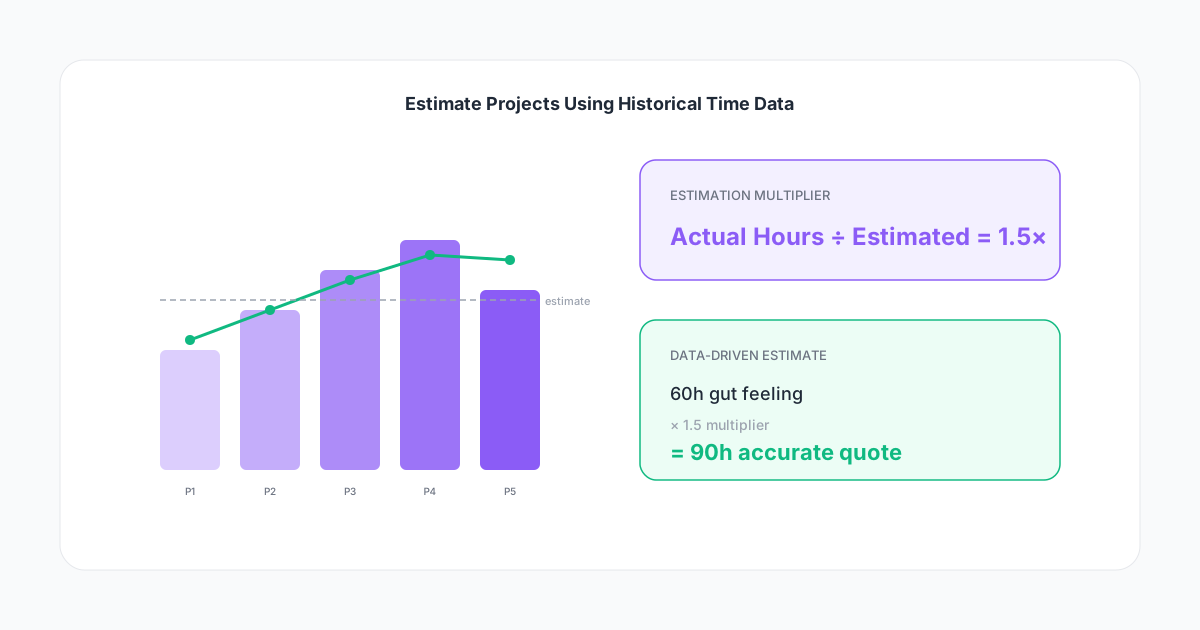
Estimation multiplier = Actual hours ÷ Original estimate
Calculate this for your last ten projects. Most teams discover a consistent multiplier between 1.3 and 2.0. That means when you estimate 50 hours, the actual outcome is 65-100 hours.
Once you know your multiplier, apply it to every new estimate. If your multiplier is 1.5 and you think a project will take 60 hours, quote for 90.
This isn't padding — it's accuracy. The "padding" was in your original underestimate.
Step 4: Build Estimate Templates
Create templates for your most common project types. A "standard website redesign" template might look like:
- Discovery workshops: 8 hours
- Information architecture: 6 hours
- Design (homepage + 4 inner pages): 35 hours
- Design revisions (2 rounds): 14 hours
- Development: 45 hours
- Dev revisions: 12 hours
- QA & launch: 8 hours
- Project management & communication: 16 hours
- Template total: 144 hours
These numbers should come from your time data averages, not from what feels right. Update them quarterly as you accumulate more data.
Step 5: Add Complexity Adjustments
Not every project is average. Apply adjustments based on known risk factors:
- New client (no established workflow): +15%
- Multiple stakeholders (more than 2 decision-makers): +20%
- Tight deadline (less than 80% of standard timeline): +10% (context-switching and pressure cause errors)
- New technology/unfamiliar stack: +25%
- Poorly defined scope (the brief is vague): +30%
These percentages should also come from your data. Track which projects ran over and tag the reasons. After a year, you'll know exactly how much a "vague brief" costs you in extra hours.
From Estimates to Profitable Proposals
Better estimates don't just prevent losses — they help you price with confidence.
Price to the estimate, not the ideal
If your data says a project type takes 100 hours on average, don't quote for 80 because you think this time will be different. Your data is more honest than your optimism.
Build in buffers correctly
A 10% contingency buffer is standard in construction. Service businesses need the same discipline. If your estimate is 100 hours, your internal budget should be 110. This isn't waste — it's the difference between projects that end with profit and projects that end with resentment.
Use ranges for early-stage estimates
When scope is still fluid, present ranges: "Based on similar projects, this will likely take 80-120 hours. Once we complete discovery, we'll narrow that to within 10%."
Ranges are more honest, build trust with clients, and protect you from anchoring to a premature number.
The Weekly Estimation Review
Good estimation is a habit, not a one-time exercise. Run a ten-minute weekly check:
- Compare in-progress projects against their estimates. Are any categories running over?
- Flag projects that are at 70% of budget with significant work remaining. This is your early warning.
- Close completed projects by recording actual vs estimated hours. Update your templates and multiplier.
This review is what closes the feedback loop. Without it, your estimates never improve.
What to Track for Better Estimates
Not all time data is equally useful for estimation. Focus on:
- Hours per task category (design, development, revisions, communication) — not just total project hours
- Hours per phase (discovery, execution, QA, delivery) — shows where estimates break down
- Revision rounds and hours per round — the #1 source of overruns for most service businesses
- Communication time — meetings, emails, and async chat time that rarely gets estimated
- Ramp-up time for new projects or clients — the first week is always slower
If your time tracking only captures "Project X: 8 hours today," you're missing the detail that makes estimation possible. Tag tasks by category and phase.
Common Estimation Mistakes (And How Data Fixes Them)
Quoting the same hours for different clients — A project with a startup founder who makes decisions in 24 hours is fundamentally different from one with a corporate committee that takes 3 weeks per approval. Your time data will show this clearly when you tag client complexity.
Ignoring seasonal patterns — Some teams are 20% slower in December (holidays, reduced hours) and 15% faster in January (momentum, fewer interruptions). If you estimate based on January data and deliver in December, you'll run over.
Estimating in a vacuum — The person estimating should be the person (or team) who will do the work. Their historical data is relevant; someone else's isn't.
Never revising templates — Your estimation templates should be living documents. If the last three projects show that "QA & launch" consistently takes 12 hours instead of the 8 in your template, update it.
Start Today
You don't need perfect historical data to begin. Start with what you have:
- Pull time data from your last five completed projects
- Calculate your estimation multiplier (actual ÷ estimated)
- Apply that multiplier to your next proposal
- Track the new project with task-level detail so your next estimate is even better
Every project you track makes the next estimate more accurate. After six months, you'll wonder how you ever priced work without data.
The teams that win profitable work consistently aren't the ones with the best instincts. They're the ones who stopped guessing and started measuring.