
Time Blocking + Time Tracking: The Productivity Combo
Time blocking without tracking is just aspirational calendar decoration. Here's how to combine both for a productivity system that actually improves over time.
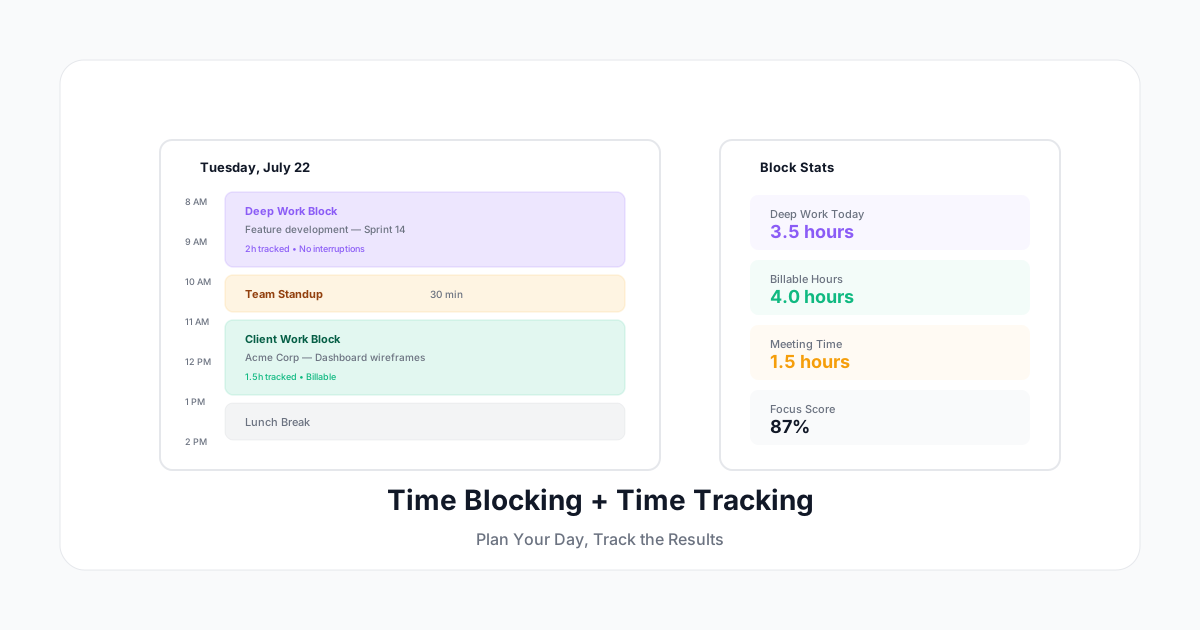
Time blocking is simple in theory: assign every hour of your day to a specific task or activity type. In practice, most people try it for a week, get derailed by meetings and interruptions, and abandon it.
The missing piece? Actually measuring whether your time blocks work. Without tracking how you actually spend time against how you planned to spend it, time blocking is just aspirational calendar decoration.
Here's how to combine time blocking with time tracking to build a productivity system that actually sticks — and improves over time.
What Time Blocking Actually Is (And Isn't)
Time blocking is: Assigning chunks of your day to specific types of work before the day starts.
Time blocking is not: Scheduling every 15-minute increment, leaving no room for flexibility, or beating yourself up when reality doesn't match the plan.
A realistic time-blocked day looks like:
- 8–10 — Deep work (specific project)
- 10–10 — Team standup
- 10–12 — Deep work (specific project)
- 12–1 — Lunch
- 1–2 — Client work
- 2–3 — Email/Slack catch-up
- 3–4 — Collaborative work
- 4–5 — Daily wrap-up and tomorrow planning
The blocks are intentional but not rigid. Life happens. The point is to start the day with a plan, not wing it.
Why Time Blocking Fails Without Tracking
Most people who abandon time blocking hit the same problem: the plan and reality diverge, and they have no data on why.
Without tracking:
- You don't know which blocks get interrupted most
- You can't tell if your time estimates are realistic
- You have no evidence of how much deep work you actually get
- Meeting creep goes unnoticed until your day is 80% meetings
With tracking:
- You see exactly where the plan broke down
- You can adjust block sizes based on real data
- You build evidence for protecting focus time
- You spot patterns (Mondays are always fragmented; Wednesdays are your best deep-work days)
The Time Block + Time Track Method
Step 1: Plan Your Blocks (5 minutes, day before)
Assign the next day's hours to categories:
| Category | Color | Goal |
|---|---|---|
| Deep Work | Purple | 3-4 hours/day |
| Meetings | Yellow | Under 2 hours/day |
| Client Work | Green | Per client allocation |
| Admin/Email | Gray | Under 1 hour/day |
| Break/Buffer | White | At least 1 hour/day |
Keep it simple. 4-6 blocks per day max. Anything more and you're micromanaging yourself.
Step 2: Track What Actually Happens
Start your timer when you begin each block. When you get pulled away — interrupted by a colleague, drawn into an unplanned meeting, distracted by Slack — log what actually happened.
The key: don't judge, just record. The data tells the story.
Step 3: Compare Plan vs Reality (5 minutes, end of day)
At the end of the day, compare:
- Planned deep work: 4 hours → Actual: 2.5 hours
- Planned meetings: 1.5 hours → Actual: 3 hours
- Planned client work: 2 hours → Actual: 1.5 hours
- Unplanned interruptions: 0 hours → Actual: 1.5 hours
Now you know exactly what's eating your productivity. This isn't guesswork — it's data.
Step 4: Adjust Weekly
After a full week of plan-vs-actual data:
- If deep work consistently comes up short: You're scheduling too many blocks during peak interruption hours. Move deep work to early morning or late afternoon.
- If meetings always overflow: Your meeting culture needs boundaries. Start declining optional meetings or shortening defaults.
- If one category dominates unexpectedly: There's a workload imbalance. Address it with your manager or client.
- If your estimates are always off: Adjust block sizes to match reality, then work on the underlying cause.
Deep Work Protection Strategies
Deep work — focused, uninterrupted, cognitively demanding work — is where most knowledge workers create value. It's also the first thing that gets squeezed.
The 2-Hour Minimum Rule
Research consistently shows it takes 15-25 minutes to reach full focus after switching tasks. A 30-minute "deep work block" isn't deep work — it's barely warming up.
Minimum viable deep work block: 2 hours. Protect at least one 2-hour block daily. Non-negotiable.
The Focus Score
Track this metric weekly:
Focus Score = (Actual deep work hours) ÷ (Total working hours) × 100
- Below 20%: You're in reactive mode. Almost no value creation happening.
- 20-40%: Survival. Getting some things done, but fragmented.
- 40-60%: Productive. Good balance of focused and collaborative work.
- Above 60%: Peak creative output (realistic for solo contributors, hard for managers).
Most knowledge workers score 20-30% without intentional blocking. With consistent time blocking + tracking, 40-50% is achievable.
Defense Against Meeting Creep
Use your tracked data to set meeting budgets:
- "I block Monday/Wednesday/Friday mornings for deep work. I don't accept meetings during these times."
- "My time data shows I need at least 3 hours of uninterrupted time daily to hit my deliverables."
- "I've tracked 22 hours of meetings this week. My maximum is 15. Let me know which ones I can decline."
Data makes these conversations factual, not confrontational.
Tracking Categories That Matter
Don't over-complicate your categories. Start with these:
Essential Categories (Everyone)
- Deep work — Focused, creative, high-value output
- Meetings — Synchronous conversations (include prep time)
- Communication — Email, Slack, async responses
- Admin — Timesheets, expenses, scheduling, tooling
- Break/buffer — Lunch, rest, context-switch recovery
Additional for Client Workers
- Client A / Client B / etc. — Track per client for billing
- Billable vs non-billable — Know your utilization
Additional for Managers
- 1 and coaching — Separate from general meetings
- Planning/strategy — Distinct from execution
- People admin — Hiring, reviews, approvals
Common Time Blocking Mistakes
Mistake 1: No Buffer Time
If you schedule 8 hours of back-to-back blocks, you've left zero room for the unexpected. A single interruption cascades through the entire day.
Fix: Build 30-60 minutes of buffer into every day. If nothing fills it, use it for email or take a proper break.
Mistake 2: Unrealistic Block Sizes
Planning 4 hours of deep work when you haven't managed 2 hours in weeks is setting yourself up for failure.
Fix: Start with what your tracking data says is realistic. If you currently get 1.5 hours of deep work, plan for 2 hours next week. Increment gradually.
Mistake 3: Same Plan Every Day
Monday's needs are different from Friday's. Your energy patterns differ throughout the week. Creative work might be better in the morning; admin might fit naturally after lunch.
Fix: Customize blocks by day. Most people find that 2-3 different day templates cover their week.
Mistake 4: Not Tracking Deviations
When a block gets interrupted, most people just... move on. They don't log what happened instead. This means their time data shows the plan, not reality.
Fix: When a block breaks, immediately switch your timer to what you're actually doing. The deviation IS the useful data.
Tools and Setup
What You Need
- A calendar app for planning blocks (Google Calendar, Outlook, Notion)
- A time tracker for measuring actual time (separate from your calendar)
- A weekly review habit (15 minutes every Friday)
Why Keep Them Separate
Your calendar shows intention. Your time tracker shows reality. When you combine them in one tool, you lose the ability to compare plan vs actual — which is the whole point.
Some tools integrate both (Clockify, Toggl, A Human Time) — they let you create blocks AND track actual time against them. This is ideal if the integration is clean.
The Ideal Flow
- Sunday/Monday morning: Block the week in your calendar
- Each day: Start timer when working, categorized by block type
- Friday afternoon: Compare planned blocks vs tracked time
- Adjust next week's plan based on the data
Results You'll See in 30 Days
After one month of consistent time blocking + tracking:
- Know your real productivity ratio — How much of your day is focused output vs reactive noise
- Identify your best hours — When do you get the most deep work done?
- Evidence for boundaries — "My data shows I need X hours of focus time to hit targets"
- Improved estimation — Stop underestimating how long things take
- Reduced guilt — When you see the numbers, you realize you ARE working enough — the distribution just needs fixing
Start Simple
Don't build an elaborate system on day one. Start with:
- Block tomorrow into just 3-4 chunks
- Track your time against those chunks for one day
- Compare at end of day: where did reality differ?
- Repeat for a week
- Adjust and iterate
A Human Time supports time blocking workflows with smart block suggestions based on your patterns, automatic tracking against planned categories, and weekly plan-vs-actual reports that show exactly where your time goes. No complex setup required — just start your timer and the system learns your rhythm.
The goal isn't perfect adherence to a rigid schedule. It's understanding how you actually work, so you can work better.