
Using Time Data to Prevent Employee Burnout
Burnout doesn't announce itself — but the warning signs are visible in time data weeks before anyone feels burned out. Here's how to build an early detection system.
Burnout doesn't announce itself. It builds slowly — an extra hour here, a skipped lunch there, a weekend "just catching up" that becomes every weekend. By the time someone recognizes burnout, they're already months deep.
But here's the thing: the warning signs are almost always visible in time data long before anyone feels burned out. Consistently long weeks, vanishing breaks, creeping overtime — these patterns show up in tracked hours weeks before they show up as disengagement, sick days, or resignation letters.
Time tracking isn't the cause of burnout (bad management is). But used properly, it's one of the best early detection systems you have.
How Burnout Shows Up in Time Data
Pattern 1: The Creeping Week
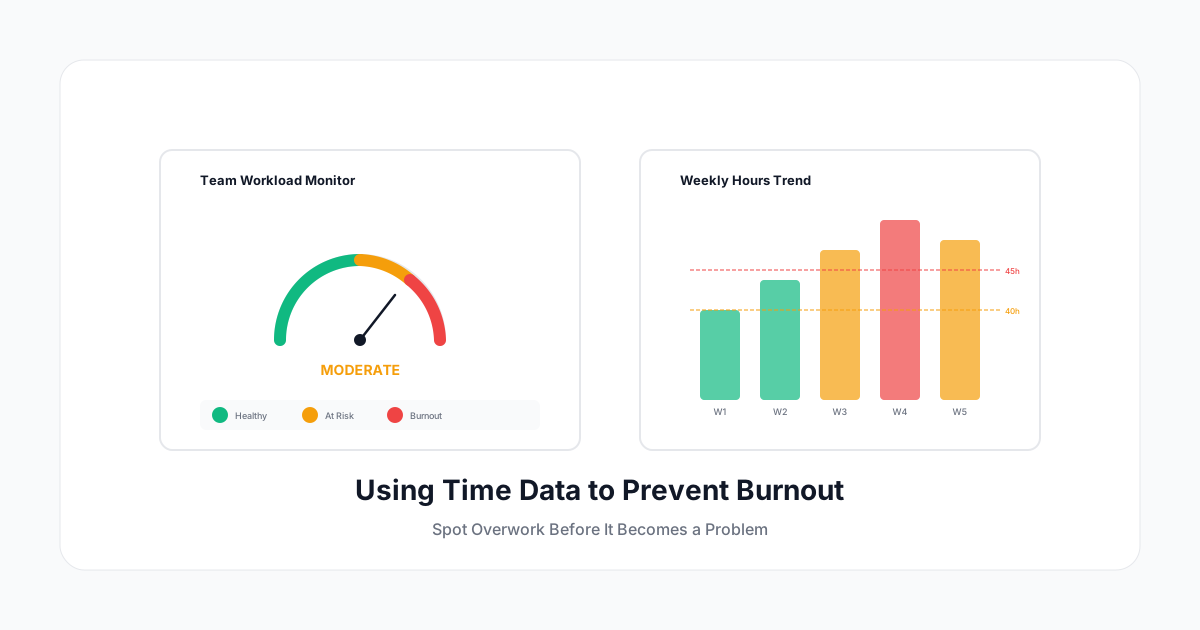
Week 1: 42 hours. Week 2: 44 hours. Week 3: 46 hours. Week 4: 48 hours.
Nobody planned to work 48-hour weeks. It happened gradually because workload expanded, deadlines compressed, or team capacity dropped (someone quit, someone's on leave). Each individual week feels manageable. The trend is what kills.
What to watch for: Average hours trending up over a 4-week period for any team member.
Pattern 2: The Vanishing Break
When people are overloaded, breaks are the first thing to go. Lunch becomes 10 minutes at the desk. Afternoon breaks vanish entirely. Start times creep earlier, end times creep later.
If your time tracking shows someone logging 8 continuous hours with no breaks, that's not dedication — it's a warning sign.
What to watch for: Break frequency declining, or logged hours spanning the entire workday without gaps.
Pattern 3: The Weekend Encroachment
Saturday morning: "Just checking one thing." Saturday afternoon: "May as well finish this." Sunday evening: "Prepping for Monday."
Weekend work hours are one of the strongest predictors of impending burnout. Occasional weekend work is normal. Regular weekend work is a system failure.
What to watch for: Any logged time on weekends, especially if it's becoming more frequent over time.
Pattern 4: The Evening Extension
Core hours end at 5 PM. But time entries show work continuing until 7, 8, 9 PM. Sometimes this is a personal preference (some people genuinely prefer evening work). Usually it's overflow from a day too fragmented by meetings to get actual work done.
What to watch for: Work logged consistently after scheduled hours, especially following high-meeting days.
Pattern 5: The Concentration Collapse
Time entries get shorter and more fragmented. Instead of 2-hour focused blocks, you see 30-minute chunks on six different projects. Context-switching is eating all the productive time, but the person feels busier than ever because they never stop moving between tasks.
What to watch for: Average entry duration declining, number of daily entries increasing, more context-switches per day.
Building a Burnout Early Warning System
Step 1: Define Your Thresholds
Set clear limits that trigger alerts:
| Metric | Green | Yellow | Red |
|---|---|---|---|
| Weekly hours | Under 40 | 40-45 | Over 45 |
| Consecutive 45+ weeks | 0 | 1-2 | 3+ |
| Weekend hours/month | 0 | 1-4 | 5+ |
| Average daily break time | 45+ min | 20-45 min | Under 20 min |
| Evening hours (after 6 PM) | Under 2/week | 2-5/week | 5+/week |
These aren't rigid rules — they're conversation triggers. When someone hits yellow, check in. When they hit red, act.
Step 2: Make It Visible (But Not Punitive)
The data should be visible to:
- The individual (self-awareness)
- Their direct manager (to intervene early)
- HR/operations (to identify systemic issues)
Critical: This data must NEVER be used to reward overwork. If your company culture celebrates the person logging 50-hour weeks, you'll drive burnout faster. The goal is to flag unsustainable patterns so you can fix the underlying cause.
Step 3: Pair Alerts With Actions
An alert without action is just noise. Define what happens at each threshold:
Yellow alert (one metric in warning zone):
- Manager has a brief check-in: "I noticed you've been working late. Everything okay? Anything I can help reprioritize?"
- Document the conversation (not the hours)
Red alert (multiple metrics or sustained pattern):
- Manager + individual meet to review workload
- Identify what can be deprioritized, delegated, or deferred
- Consider temporary capacity support (contractor, teammate swap)
- Follow up in 2 weeks
Systemic pattern (multiple team members in yellow/red):
- Team-level capacity review
- Hiring discussion or scope reduction
- Process audit (what's eating the time?)
Step 4: Track the Recovery
After an intervention, watch the data to confirm the pattern reverses. If someone goes from red back to green, the fix worked. If they stay red, the root cause wasn't addressed.
Organizational Patterns to Watch
Individual burnout matters. But the most powerful use of time data is identifying organizational problems:
Meeting Overload
If your team averages 3+ hours of meetings per day, they have maybe 4-5 hours for actual work. In an 8-hour day, that's barely enough — and any deadline pressure pushes into evenings and weekends.
The fix: Audit meetings quarterly using time data. Kill anything without a clear owner, agenda, and decision needed. Default to 25 or 50-minute meetings. Protect at least one full "no meeting" day per week.
Understaffing Masked by Overtime
If 30% of your team regularly logs overtime, you don't have a time management problem — you have a headcount problem. The team is undersized for the workload.
The math: If 5 people regularly work 45-hour weeks, that's 25 extra hours/week. That's most of a full-time position being staffed through overtime — which is more expensive (1.5x pay) and unsustainable.
Uneven Distribution
Sometimes burnout isn't team-wide — it's concentrated. One person gets all the urgent requests. One person handles all the client escalations. The "most reliable" person gets overloaded because they never say no and managers keep routing to them.
The fix: Review time data by person AND by project/activity. If one team member consistently logs 20% more than peers, they're not more productive — they're carrying an unfair share.
Time Tracking Features That Prevent Burnout
When evaluating time tracking tools, look for:
- Weekly hour reports — Visible to both the individual and their manager
- Break tracking — Not auto-deducted, actually logged
- Overtime alerts — Automatic notification when approaching limits
- Working pattern reports — Show hours by time of day, day of week
- Team dashboards — Manager-level view of team workload distribution
- Smart reminders to stop — "You've been working 9 hours. Take a break."
What to avoid:
- Screenshot monitoring (increases stress)
- Keystroke tracking (surveillance, not safety)
- "Productivity scores" (gamifies overwork)
The Manager's Role
Time data only prevents burnout if managers use it properly. Here's the playbook:
- Review team time data weekly (10 minutes, not an hour)
- Look for trends, not individual days (one late night is nothing; five is a problem)
- Have the conversation early (at yellow, not red)
- Fix the system, not the person ("Let's reprioritize" not "You need better time management")
- Model healthy behavior (if you log 50-hour weeks, your team will too)
The Employee's Role
Time tracking also gives individuals data to advocate for themselves:
- "Looking at my time data, I've averaged 47 hours the last month. Can we reprioritize?"
- "My time logs show 4 hours of meetings daily. I need protected focus time."
- "I've worked 3 weekends this month. I need to adjust the workload or the deadline."
Data makes these conversations factual, not emotional. It's harder to dismiss "I'm overwhelmed" when the numbers are right there.
Bottom Line
Burnout is a systemic problem with individual symptoms. Time tracking gives you the data to see those symptoms early — before they become resignations, sick leave, or quiet quitting.
The companies that prevent burnout aren't the ones that ban overtime. They're the ones that see it forming and intervene. Good time data makes that possible.
A Human Time includes built-in workload monitoring that flags unsustainable patterns before they become crises. Weekly team reports, overtime alerts, and break compliance tracking — all designed to protect your people, not police them.
Your team's time is their most finite resource. Track it to protect it.